 Get Connect on Robinhood Chain: trade Stock Tokens and memecoins from your coding agent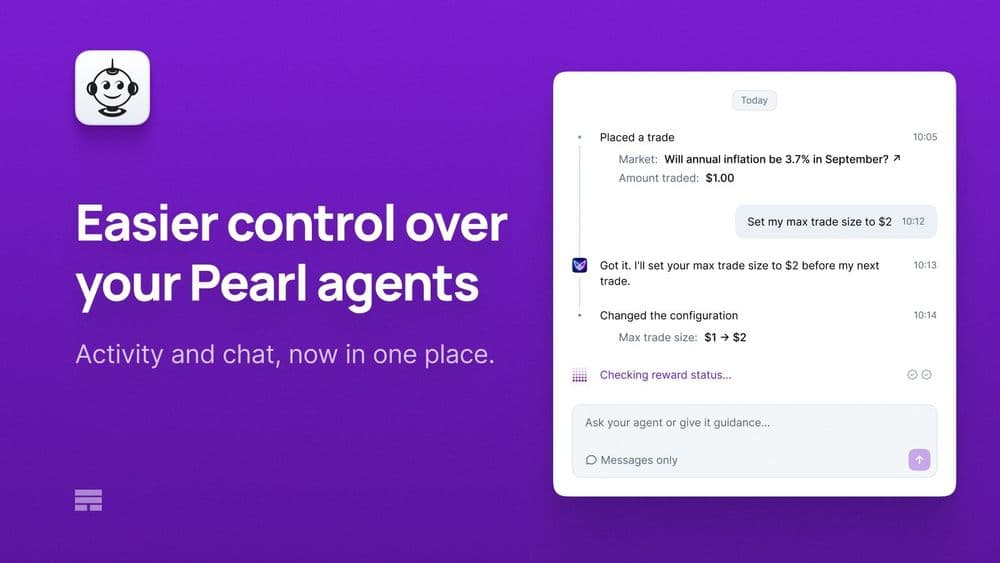
Easier control over your Pearl agents: its activity and its chat, now in one place
Overview
Your Pearl agent’s activity feed and its chat now sit together on the Overview tab on the main screen, so you can follow it and talk to it in one place.
- See actions your agent took, such as a trade it placed or a pool it entered
- Check or change its settings in the chat, now on the main screen
- Look back at what it did, even after a restart or while it’s stopped
This is designed to help you spend more time with your agent, get to know it better and build more familiarity with how it works. The better you understand it, the more confident you can feel about it, and adjust it when you want it to work differently.
Until now, a Pearl agent’s main screen showed only the step the agent was working on. The chat sat tucked away in the agent’s profile, stopped when the agent wasn’t running, and kept no history between runs.
Now, Polystrat, Omenstrat, Optimus and Basius each have a main screen that brings together an activity feed and the chat. It shows what the agent did, what it’s doing now and your conversation with it, in order, day by day.
These changes matter beyond each operator’s own agents. People who spend more time with their agents may set them up better and keep them running. More Pearl agents running has the potential to bring more agent activity to Olas.
See everything your agent did

Your agent’s actions appear in one feed as it works: trades and their results for Polystrat and Omenstrat, pools entered and exited for Optimus and Basius, and any change to its settings.
You can scroll back through the full history, so you can catch up on what your agent did while you were away.
Ask your agent, and change how it works
You can ask questions and make changes right where you see what your agent does.
Ask in plain language, such as “What can you do?” or “What’s my current configuration?”. Suggested questions help you get started.
To change a setting, such as your daily activity target, just ask. The agent asks you to confirm before making the change, and the change is recorded in the feed.
Good to know
- Your agent needs to be running for you to be able to chat to it, but its chat history can be read at any time
- Pearl Connect keeps its current main screen
Try it
Update to the latest Pearl version and open your Polystrat, Omenstrat, Optimus or Basius agent: pearl.you